
Next.js or Vite for your admin dashboard?
Avra is a React admin dashboard template by Levin Labs. It includes Next.js and Vite editions built with TypeScript, Tailwind CSS v4 and shadcn/ui. Choose the edition that fits your application architecture; both provide a starting point for your dashboard UI.
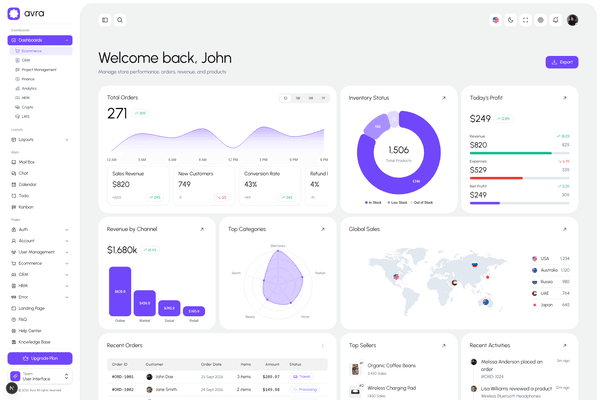
Compare the two editions
| Decision | Next.js | Vite |
|---|---|---|
| Application structure | Next.js App Router with layouts and server components. | React single-page application with client-side routes. |
| Rendering | Server and client components; choose the boundary for each feature. | Client-side rendering in the browser. |
| Backend integration | Route handlers and server-side integration are available; connect your production services. | Connect the React application to a separately deployed API. |
| Best fit | Teams already using Next.js or wanting server-rendered public pages alongside their dashboard. | Teams building an internal tool or adding an admin UI to an existing backend. |
When to choose Next.js
Choose the Next.js edition if your team already works with the App Router, needs server-side integrations, or wants public marketing pages and authenticated dashboard routes in one application. Avra's Next.js edition includes next-intl localization and NextAuth.js integration. Production authentication, authorization and data access still need to be configured for your service.
Keep useful public content accessible to search engines. Treat customer-specific dashboard data as private, and enforce permissions on the server. Robots directives do not protect confidential information.
When to choose Vite
Choose the Vite edition when you want a React SPA that talks to an existing API. This can suit agency projects and internal tools where the dashboard itself does not need search indexing. Configure your hosting to serve the application entry point for client routes, and keep API credentials and authorization checks in your backend.
Check these before you buy
- Explore the dashboard and application demos for the screens your product needs.
- Read the Next.js setup documentation and check the package requirements against your environment.
- Plan how to replace demo data with your API, enforce permissions and validate real workflows. A template is not a hosted backend or a finished SaaS service.
- Compare license project limits and support. Regular starts at $49, and every license includes lifetime updates.